Convert any webpage URL to a PDF instantly with our free online URL to PDF converter. Fast, secure, and responsive tool for saving web pages as PDF files.
Free Online URL to PDF Converter – Save Webpages as PDF Instantly
In today’s digital world, we often come across valuable articles, research papers, or online documents that we want to keep for later use. Instead of bookmarking or taking screenshots, the easiest way is to convert a webpage into a PDF file.
A PDF is portable, easy to share, and ensures that the content looks the same on any device. Our free URL to PDF Converter allows you to instantly turn any webpage into a downloadable PDF file.
Simply paste the link, click the button, and your PDF will be ready in seconds. No software installation, no complicated steps – everything happens right in your browser.
The Ideal Use Cases: Where the Tool Excels
This converter is perfectly suited for a range of common scenarios:
- Archiving and Preservation: Saving online news articles, academic blog posts, or personal webpages that are at risk of being altered or taken down. The PDF becomes a personal archive, immune to “link rot.”
- Offline Reading: Before a flight or a commute through areas with poor connectivity, users can quickly convert essential webpages into PDFs to read on their laptop or tablet without an internet connection.
- Sharing and Citation: Instead of sharing a link that might lead to a updated or different version of the content, sharing a PDF ensures that all parties are viewing the exact same information, which is crucial for legal, academic, or business contexts.
- Simplicity and Speed: For quick, one-off conversions where creating an account on a more complex service like Adobe Acrobat or Smallpdf would be overkill, this tool offers immediate gratification.
Why Use a URL to PDF Converter?
- Save Important Articles – Keep research papers, guides, or news articles for offline reading.
- Business Use – Convert invoices, receipts, and reports hosted online into PDF for official records.
- Education – Teachers and students can save online study material into easily accessible PDF files.
- Sharing Made Easy – Share webpages with colleagues or friends without worrying about formatting issues.
- Permanent Storage – Webpages may be deleted or edited later, but your PDF copy remains unchanged.
Features of Our Online Converter
100% Free – No hidden charges or subscriptions.
Fast & Secure – Convert links into PDF within seconds.
Mobile Friendly – Works smoothly on all devices, including smartphones and tablets.
No Watermark – Get clean PDF files without logos or watermarks.
Responsive Design – Easily usable on any screen size.
How to Convert a URL to PDF?
Follow these simple steps:
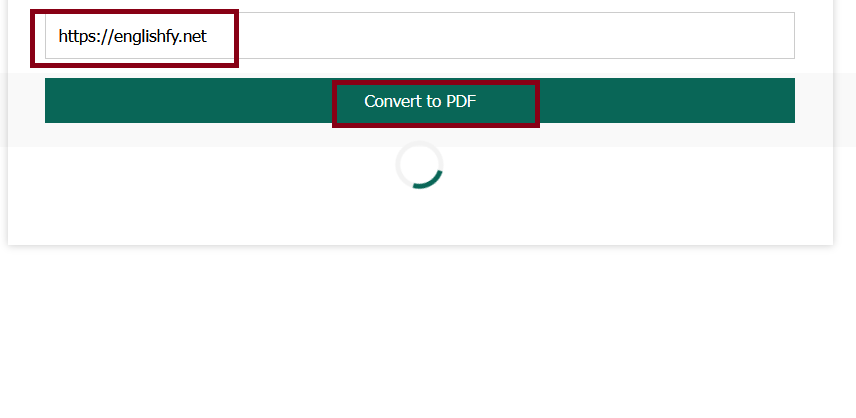
- Copy the webpage link (URL) you want to convert.
- Paste it into the input box above.
- Click on “Convert to PDF”.
- Wait a few seconds while the system processes your link.
- The PDF file will automatically download to your device.
It’s that simple!
Inherent Limitations and the Need for Caution
However, no tool is perfect, and understanding its limitations is key to using it effectively. The very simplicity that makes it appealing also defines its constraints.
- Fidelity is Not Guaranteed: Modern websites are not simple documents; they are complex applications. The tool may struggle with pages that rely heavily on interactive JavaScript, lazy-loaded images, complex CSS frameworks, or user authentication. The resulting PDF might be a broken, poorly formatted version of the original page. Single-Page Applications (SPAs) like those built with React or Vue.js often render content dynamically after the initial page load, which the basic fetch operation might miss.
- The Security Blind Spot: This is the most significant caveat. The tool acts as a blind conduit for web content. It has no ability to vet the safety of the downloaded HTML. A malicious actor could create a webpage containing harmful scripts. While these scripts are typically neutralized when rendered as a static PDF, the initial fetch process could potentially be exploited. Furthermore, the use of a public CORS proxy means the HTML content passes through a third-party server, which might be a privacy concern for sensitive information.
- Dependence on External Services: The tool’s functionality is entirely dependent on the reliability and continued existence of
api.allorigins.winand thehtml2pdf.jsCDN (Content Delivery Network). If either service goes down or changes its policies, the tool breaks instantly. - Lack of Customization: Users have no control over the PDF output. There are no options for setting page orientation, quality, compression, or selecting a specific part of the page to convert.
Frequently Asked Questions (FAQs)
Is this URL to PDF converter free to use?
Yes, our tool is completely free and does not require registration.
Will the PDF look exactly like the webpage?
In most cases, yes. However, some external images, CSS, or scripts may not load due to website restrictions.
Can I use this tool on my mobile phone?
Absolutely! Our tool is fully responsive and works on Android, iOS, tablets, and desktops.
Is my data safe?
Yes. The tool runs directly in your browser, so your data is never stored on our servers.
Can I convert social media posts or private pages?
Only publicly accessible webpages can be converted. Private or login-restricted pages cannot be processed.
Conclusion: A Valuable Tool in the Digital Toolkit
The Webpage to PDF Converter is a testament to the power of modern web technologies. It leverages the client-side processing capabilities of JavaScript and the ecosystem of open-source libraries to deliver a specific, useful function directly within the browser. It is not a Swiss Army knife but a precise scalpel—or perhaps more accurately, a simple, reliable pair of digital scissors.
Its true value lies in its role as a quick, convenient solution for archiving straightforward, content-centric webpages. For saving a news article, a recipe, or a documentation page, it is remarkably effective.
However, users must approach it with a clear understanding of its limitations, especially regarding security and rendering fidelity. It is a tool for the casual user, the researcher, the student—anyone who needs to capture a slice of the web quickly and without fuss. For more complex needs, professional-grade solutions with server-side rendering and enhanced security remain necessary.
But for that momentary need to make a fleeting webpage permanent, this little converter stands as an elegant and powerful first line of defense against the ephemeral nature of the internet.